
TouchShow Interactive
Every photo and video, one tap away.
A touchscreen slideshow for displays people touch. Every photo and video you add gets its own thumbnail on screen, so visitors tap to open what interests them, and you can draw on screen to explain.
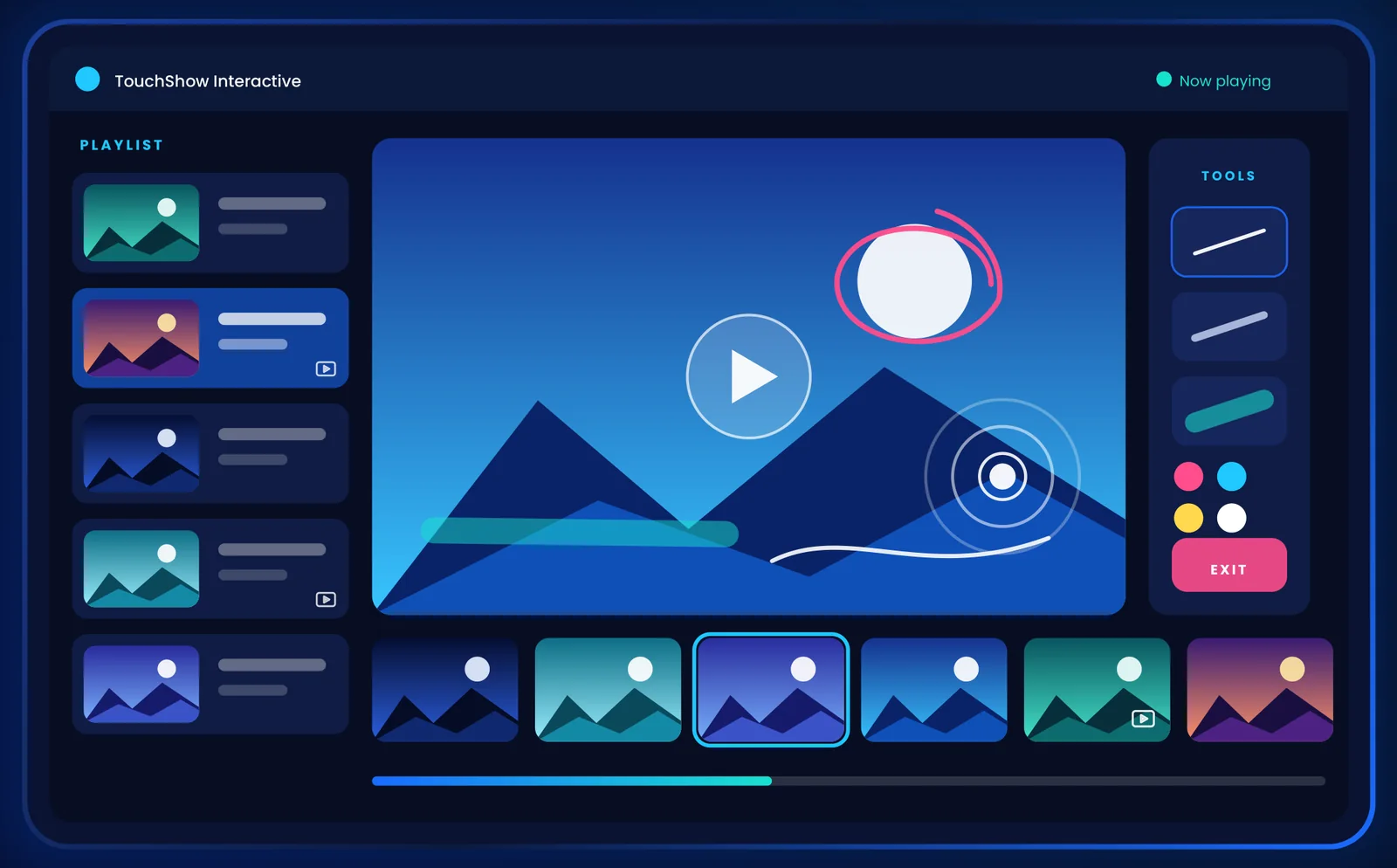
 Tap a thumbnailto open that photo or video
One thumbnail for every photo and video
Your audience chooses what to see. When nobody is touching, the slideshow simply plays on its own.
You add photos & videos
Import from a USB drive or the device’s own folders.
Each one gets a thumbnail
A strip of thumbnails sits on screen, one for every item.
Visitors tap to open
A tap jumps straight to that photo or video and pauses on it.
The slideshow carries on
After the pause, playback continues on its own.
Everything you need for a polished touch display
Touch thumbnails
Every photo and video gets a thumbnail. Tap one to jump straight to it.
Playlist Control
Organise mixed photos and videos in one dashboard, in the exact order you want.
Automatic slideshow
Plays on its own, hands-free, from 1 to 30 seconds per item.
Featured touch pause
A touch pauses on that item for a closer look, from 10 to 100 seconds.
Transition effects
Fade, slide, zoom or flip, lasting 1 to 5 seconds.
Flexible media sources
Import from USB or from the device’s own files and media folders.
Annotation tools
Draw on screen with pen, pencil or highlighter, in the colour you pick.
Photo display options
Show photos with Fit to Center or Stretch to Fit.
Orientation modes
Landscape, portrait and both flipped, to match how the screen is mounted.
Volume control
Device volume from 0 to 100, with a quick mute.
Ready on power-on
Starts by itself when the device boots and opens straight into fullscreen touch mode.
Reset in one step
Delete all imported content at once and start fresh for the next show.
From import to interaction in 5 steps
Import media
Add photos and videos from USB or device files and media folders.
Organise the playlist
Arrange mixed photos and videos in the Playlist Control dashboard.
Set up playback
Choose timing, transitions, photo display, orientation and volume.
Present on the touchscreen
Launch in fullscreen and let the slideshow run on its own.
Tap and draw
Touch a thumbnail to jump to it, or draw with pen, pencil or highlighter.
Adjustable at a glance
Perfect for
Product showcases
Customers tap through product photos and demo videos at their own pace.
Museums & galleries
Visitors explore collections, archives and stories by touch.
Schools & classrooms
Present lessons and visuals, and draw on screen to explain.
Events & exhibition booths
An interactive screen that invites people to come and touch.
Corporate presentations
Polished presentations in meeting rooms, showrooms and offices.
Hospitality & reception
Welcome guests with venue highlights, menus and local attractions.
Retail displays
Highlight products and offers in-store with fullscreen content.
Digital signage
Keep lobbies and public screens lively with looping photos and videos.
What you need
- Screen: Any touchscreen display, touch kiosk or interactive flat panel
- Content: Photos and videos on a USB drive or in the device’s folders
- Internet: Not needed to play
Need the touchscreen too?
We supply touch hardware, set up and ready to run TouchShow Interactive.
Not quite the right fit? See the other TouchShow products
Get A Professional Quote
Ready to elevate your enterprise display experience? Send our sales engineers a brief message. We respond with a full architectural review and formal quote in under 4 business hours.
Contact Information
Our sales and engineering teams are available during regular business hours to assist with hardware specifications, quotes, and deployment planning.
Enterprise Communications
contact@touchxcel.com
Direct Hotline & WhatsApp
+91 9211562762
Company Office
Old Rajinder Nagar, New Delhi 110060
Business Hours
Monday – Saturday, 11:00 AM – 9:00 PM IST